Repos guide · GitHub for AI websites
5 GitHub repos to make your AI website look better
If your AI websites keep looking the same, try giving the AI better materials to work with. These five repos help you add 3D objects, Apple-style glass, cinematic scrolling, animated logos and moving backgrounds.
What you need
- A website you're building or want to improve.
- An AI coding tool with access to your project.
- Your logo, brand colours and any images you want to use.
A GitHub repo is a folder containing a project's code and instructions. You can give that repo to your AI coding tool and ask it to use the code in your website.
Start with one effect. You don't need all five on the same page.
React Three Fiber
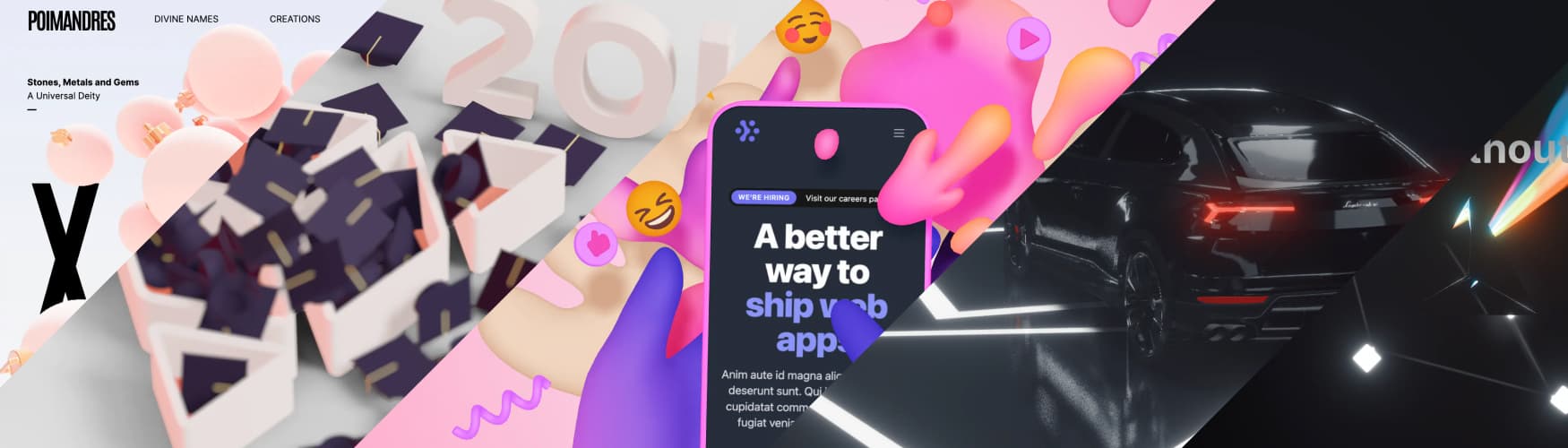
Preview from the React Three Fiber repository.
React Three Fiber lets you add interactive 3D objects and scenes to a React website.
You could use it for a product visitors can rotate, floating objects beside your headline, or a scene that responds to mouse movement.
For a specific product, you'll need a suitable 3D model. Otherwise, start with a simple shape.
Copy this prompt
Use React Three Fiber in my website: https://github.com/pmndrs/react-three-fiber

Add an interactive 3D object to my homepage hero. Place it beside the headline and let visitors drag to rotate it. Use [describe the object or attach a 3D model].

Check my project's React version and install compatible dependencies. Keep the layout responsive, preserve my existing text and buttons, and provide a static fallback for devices that cannot run the effect.Liquid Glass JS
Demo from the Liquid Glass JS repository.
This gives your website that glass effect you see in Apple's designs.
You can use it on navigation bars, buttons and small panels. It adds blur and distortion to the background behind them.
Copy this prompt
Use Liquid Glass JS in my website: https://github.com/dashersw/liquid-glass-js

Apply an Apple-inspired glass effect to my navigation bar. Give it rounded corners, subtle blur and gentle distortion. Keep the text readable and every link clickable.

Follow the repo's setup instructions and adapt its JavaScript files to my project. Make it work on desktop and mobile, with a plain background fallback if the effect isn't supported.
This repo uses JavaScript files directly. Let your AI read its instructions before deciding how to install it.
Scroll World
Demo from the Scroll World repository.
Scroll World creates websites where scrolling feels like moving through an entire world.
It works as a skill for AI coding agents. It generates scenes and camera-movement videos, then connects the playback to the visitor's scrolling.
You could use it to take visitors through a hotel, a product story or the different stages of a business process.
Set it up
Open the repo and give its installation instructions to your coding agent. Run these in the relevant coding tool or terminal. The workflow also needs media-generation services and local processing tools, so have your agent check the requirements first.
/plugin marketplace add oso95/scroll-world
/plugin install scroll-world@scroll-world
npx skills add oso95/scroll-world -a codex
Copy this prompt
Use Scroll World to build a scrolling landing page for [business name].

Take visitors through these three scenes: [scene one], [scene two] and [scene three]. Use [brand colours] and end with a button that says [button text].

Check the required tools and accounts first. Show me the scene plan and estimated generation cost before spending credits. Include a mobile layout and a static version for visitors who prefer reduced motion.
The repo is free to access, but generating the images and videos can cost money.
Liquid Logo
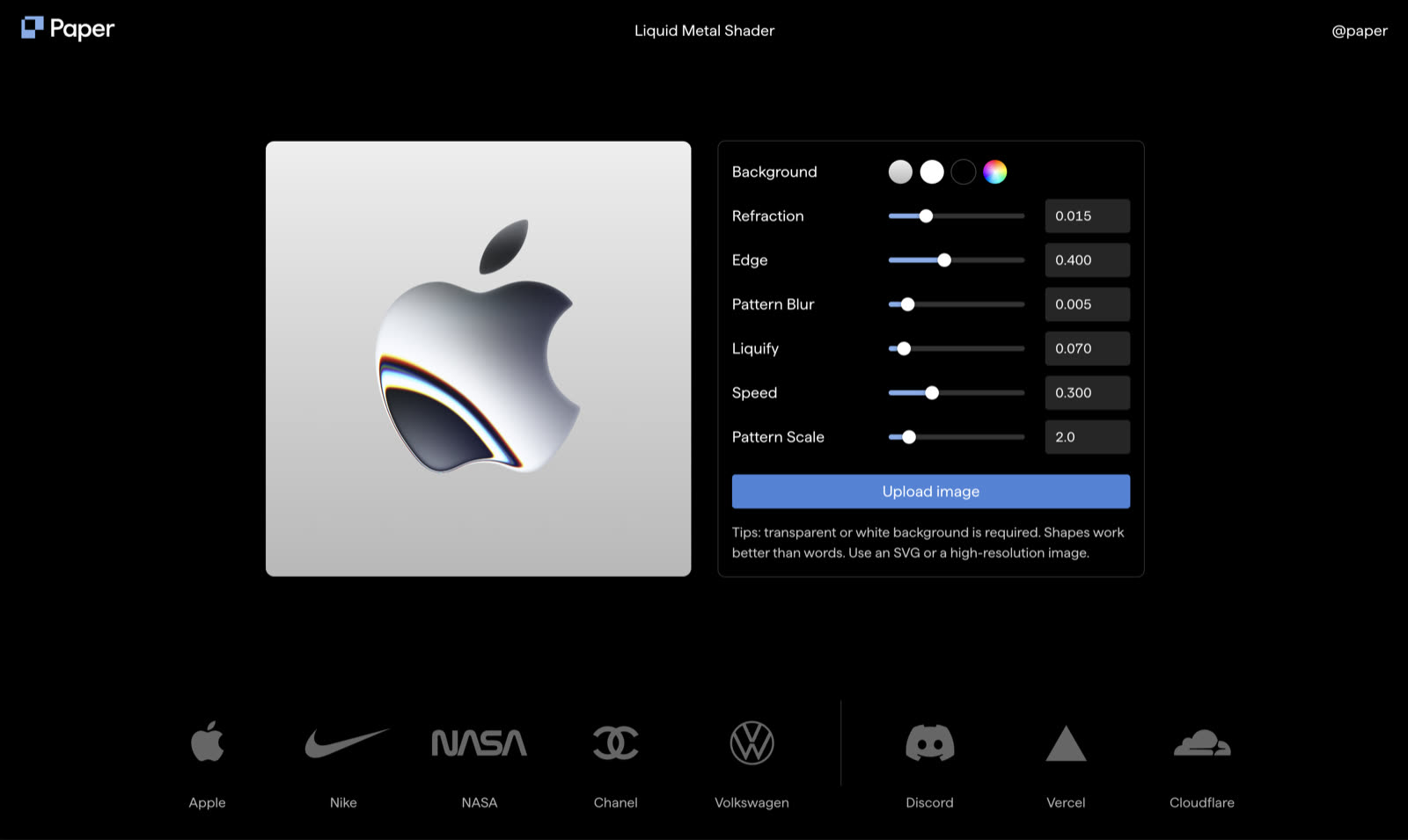
Preview from Paper Design's Liquid Logo repository.
Liquid Logo turns a normal logo into an animated liquid-metal effect.
Try it in your homepage hero or as a logo reveal. A simple logo with a clear shape is a good starting point.
Copy this prompt
Use Paper Design's Liquid Logo repo: https://github.com/paper-design/liquid-logo

Apply its liquid-metal effect to the logo I've attached. Place it in my homepage hero with slow movement. Keep the logo recognisable and preserve its proportions.

Inspect the implementation and licence before integrating it. Make it responsive and show the original static logo when reduced motion is enabled.
Shader Gradient
Preview from the Shader Gradient repository.
Shader Gradient creates moving gradients you can use behind a headline or across a section of your website.
You can change the colours, shapes and movement to suit your brand. It has a React package and options for Framer and Figma.
Copy this prompt
Use Shader Gradient in my website: https://github.com/ruucm/shadergradient

Add a slow-moving gradient behind my homepage hero using [colour one], [colour two] and [colour three].

Keep my headline and button readable. Follow the current installation instructions and check dependency compatibility. Reduce the animation workload on mobile and use a static gradient when reduced motion is enabled.
How to add an effect to your website
- Open your website project in your AI coding tool.
- Save a copy of the current version.
- Paste the repo link and its prompt.
- Attach any logos, images or models it needs.
- Ask the AI to implement the effect and show you a working preview.
- Test the result on desktop and your phone.
If the AI cannot open the GitHub link, copy the relevant README instructions into the conversation or provide the files it needs.
Be specific about where you want the effect. "Add this glass effect to my navigation bar" gives the AI more direction than "make my website look expensive."
A reusable prompt for any repo
I want to use this GitHub repo in my website: [link].

My website is for [business or purpose]. Add the effect to [specific section]. It should look like [description] and behave like [description].

Read the current README and inspect my project first. Check compatibility, required assets and any costs.

Implement it, run the project and fix any errors. Keep the page responsive, preserve readable text and working buttons, and include a reduced-motion fallback.

Show me how to change the colours, size and animation speed afterwards.
Before you publish
- Check that your website loads properly, the buttons still work and the text stays readable while things move.
- If the page feels slow, ask the AI to simplify the animation or use a static version on mobile.
- Pick one effect, get it working properly, then decide whether the page needs anything else.
Get the full guide free
Join my newsletter to read the rest. You'll unlock this guide and every other guide on the site, get new guides the day they go live, and one practical AI email from me each week. Unsubscribe any time.
One email unlocks every guide.